How to Upload a Tune
Tune file is a TunerStudio file with your current calibrations, it's often called CurrentTune.msq.
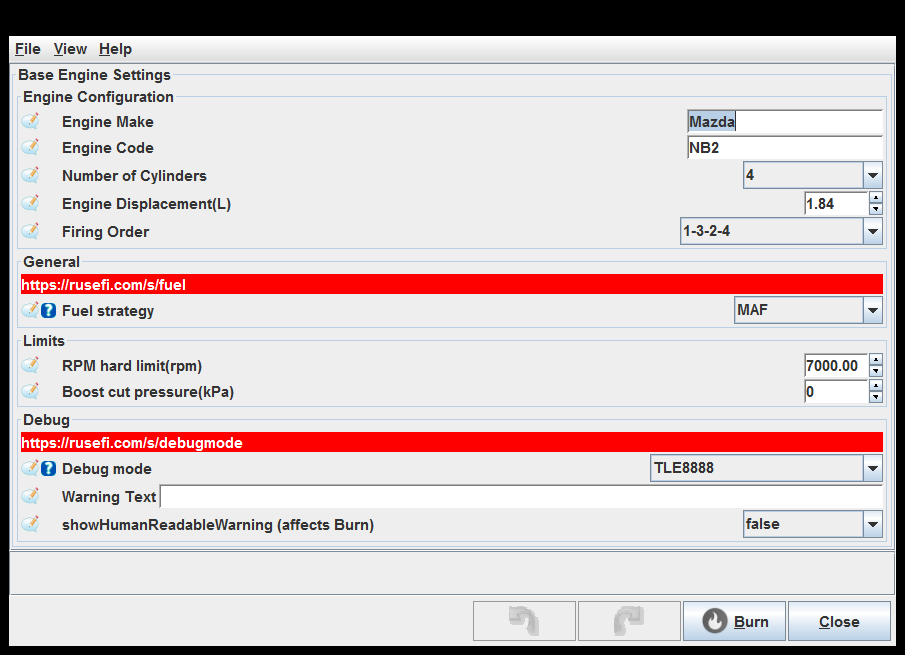
In order to be able to post your tune you would need to have your Engine Make, Engine Code and Vehicle Name fields filled in. Close the TunerStudio project once you've made the engine name changes for the file to be updated.
Now you are ready to hit the "Upload" button on https://rusefi.com/online/ and point it to a CurrentTune.msq file
FAQ
Q: Any hints on forum links best practices?
A: If you want to mention a tune please provide exact URL. It's not very useful to just say "I've uploaded my tune" without full URL. Please help us help you by pointing at what exactly we are looking to discuss. :)
See also How To Upload Log
Q: Why bother?
A: To make everyone's life easier. There is not much fun in looking at low-resolution videos of the screen. There is not much fun in reading a wall of text when full tune would be so much more helpful. There is little fun in looking at amazing high resolution screenshot of five dialogs if you need some other dialog.