How to Upload a Log
Data Rate
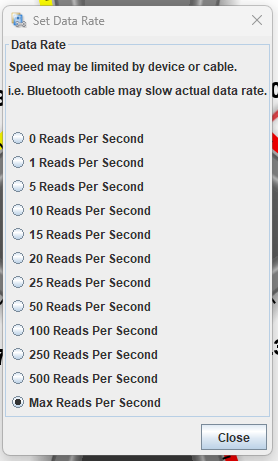
Licensed TunerStudio gives you faster data rate which is very important while troubleshooting trigger/vvt issues. Go to "Communications->Data Rate->Max Rate Per Second". We pride in having above 500Hz data rate via USB! See Logging Guide for more info.
Slower rate is recommended for running fuel control troubleshooting; higher rate logs are needed for cranking/trigger troubleshooting. Logs below 100Hz are totally useless for trigger troubleshooting.
How To
In TunerStudio, hit "Data Logging" -> "Start Logging". Once you've done something interesting, hit "Data Logging" -> "Stop".
Then hit "Data Logging" -> "Show DataLog Folder".
At this point you can upload your log to rusEFI Online.