How to Update Firmware
Disconnect it from the vehicle. Use caution.
Download the rusEFI bundle for your hardware.
Windows
Launch rusEFI Console. You can find it in the bundle you downloaded, in the "console" folder.
Click the "Update Firmware" button once you've picked desired update mode.
Linux
The canonical way to update the firmware on Linux is with DFU.
You will need dfu-util:
Once you have dfu-util, you can run this from the extracted bundle directory:
FAQ
Q: I got "DRIVER ERROR"
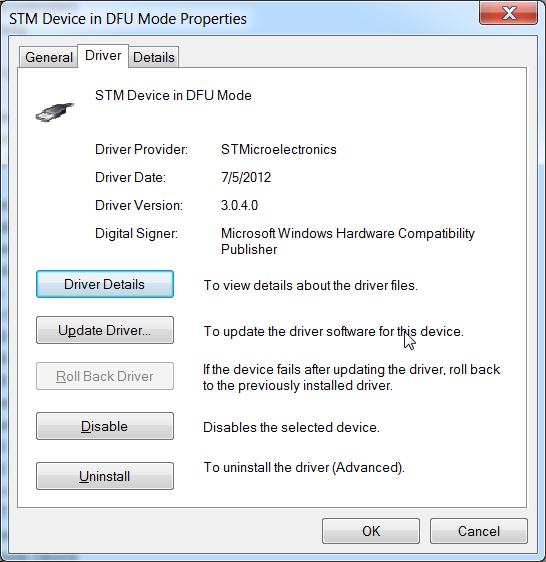
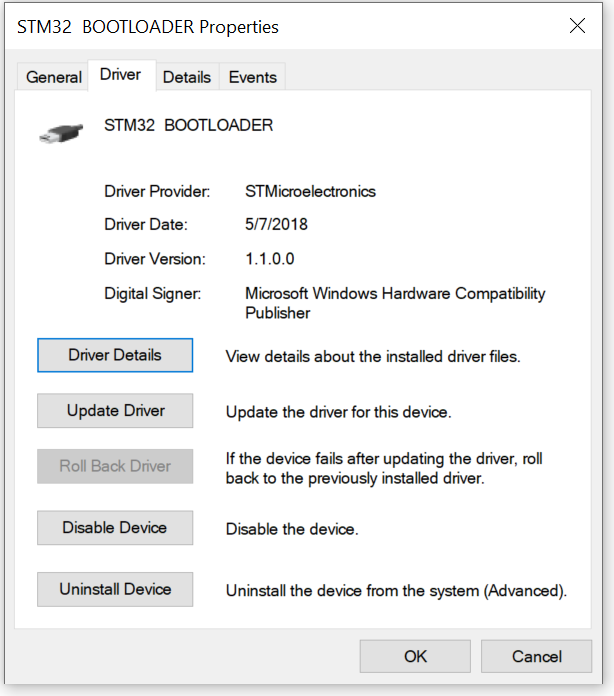
A: In rusEFI console please hit "Device Manager". When ECU gets into DFU mode (blue LED stops blinking) you are expected to see a "STM32 Bootloader" device. If you see "STM device in DFU mode", please uninstall it and remove the old driver.
Bad
Good
More Information
For more about DFU see HOWTO-DFU.
ST-LINK is an advanced mode of firmware update which requires ST-LINK device, either external or built-in like on Discovery and Nucleo boards.
Update TunerStudio Definition
Once you have updated your firmware, you also need to update your TunerStudio definition so it is able to communicate properly. A happy installation of TunerStudio will download the current .ini file automatically!
If you chose to do it manually, you can find the .ini file in the USB storage device that rusEFI board presents to your computer, or in the rusEFI bundle.