Remote Tuning
Remote tuning is possible over the internet using the rusEFI TunerStudio plugin if the rusEFI ECU is connected to the internet.
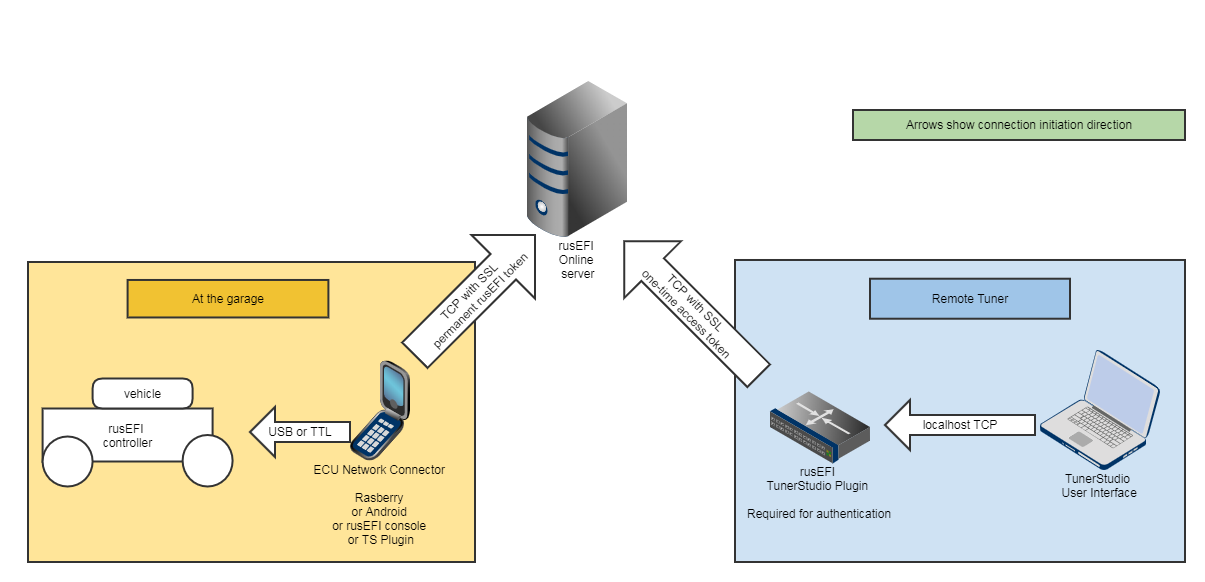
There are three ways to connect rusEFI to the internet:
- The "Broadcast" tab of the rusEFI TunerStudio plugin.
- The rusEFI network_connector tool for running an instance on a Raspberry Pi or similar Single Board Computer
- The rusEFI Android application
Connecting to a remote ECU is a two step process:
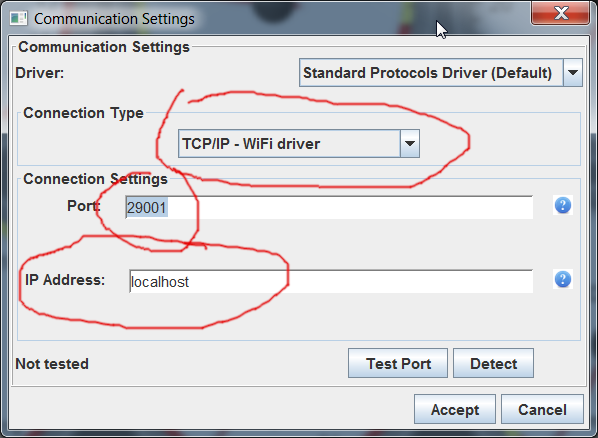
First you connect rusEFI TunerStudio plugin to remote controller via the Internet, and then you connect TunerStudio to the rusEFI TunerStudio plugin locally.
- IP Address "localhost"
- Port (default value): 29001